
From sign-up to live chat. No code.
Watch one chat from start to finish, then see the four short steps to put it on your own WordPress site.
Watch one chat, start to finish.
A visitor asks a question, adds a product to the cart, and your team joins in.
The real dashboard, not a mockup.
Screenshots from the WP Smart Bot dashboard, with visitor details blurred.
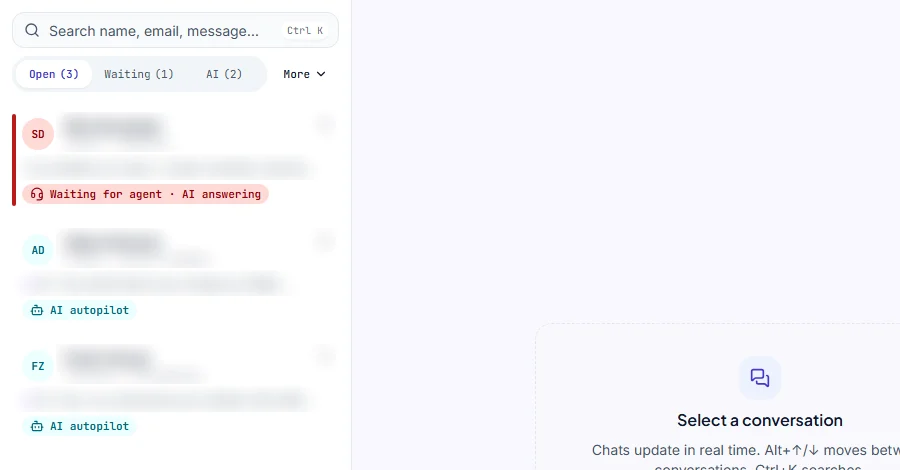
The team inbox
Every chat in one list. Badges show which chats the AI is handling and which are waiting for your team.
AI autopilotWaiting for agent
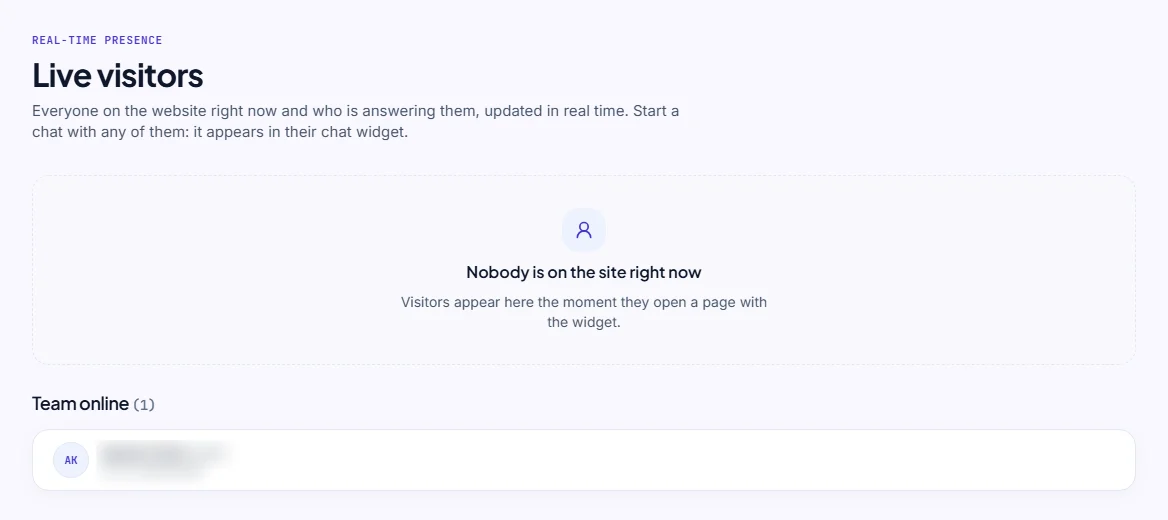
Live visitors
Everyone on your site right now, and who on your team is online. Start a chat with any visitor.
Real timeTeam online
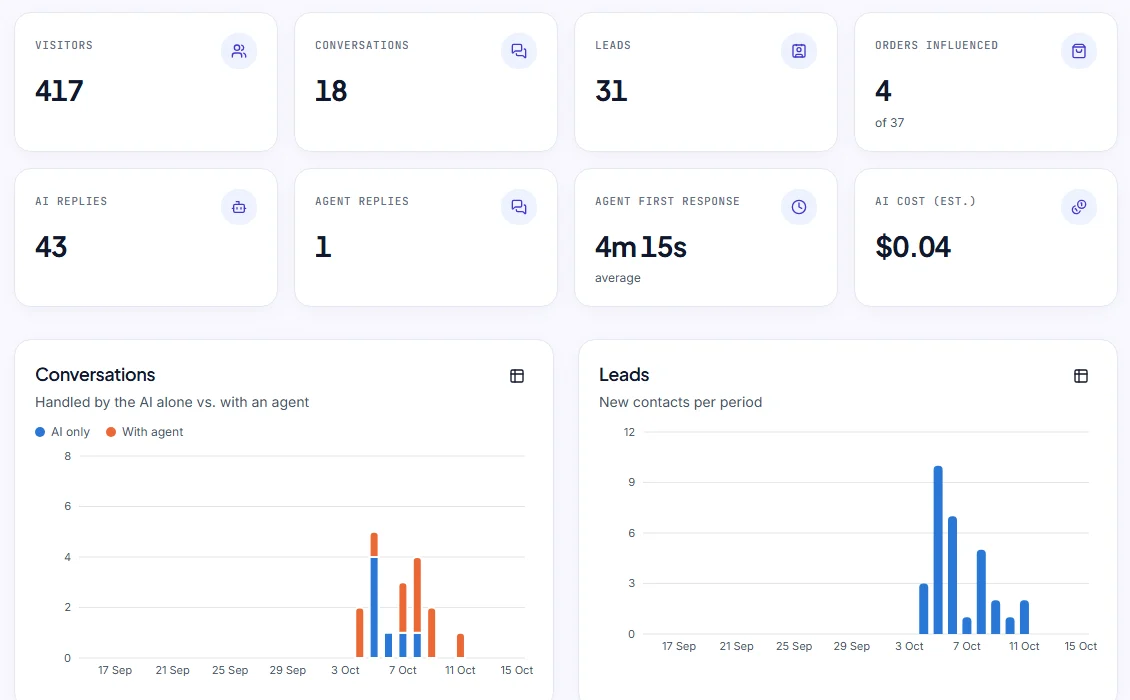
Analytics
Visitors, conversations, leads and orders, and how many chats the AI handled alone or with an agent.
AI only vs. with agentLeads per day
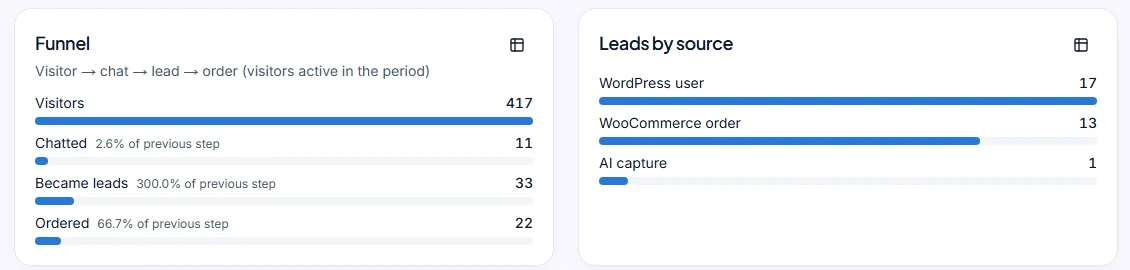
From visitor to order
The path from visitor to chat to lead to order, and where your leads come from.
FunnelLeads by source
Live in 4 steps.
Most of it happens in your browser. The WordPress part is one plugin and one setting.
- 1person_add
Create your free account
Sign up with Google or your email, then enter your shop name and website.
Free plan · no card needed
- 2upload_file
Install the plugin
Upload the zip under Plugins → Add New → Upload Plugin, then activate it.
Direct download from your setup
- 3link
Paste the connection string
Copy it from your setup, paste it into the plugin and click Connect.
Works once · expires after 7 days
- 4sync
Your content syncs
The first sync of your pages, posts and products starts by itself. Then you’re live.
Everything else is in your dashboard
What happens in a chat.
Once you’re live, this is the path every conversation can take.
- chat
A visitor asks
In their own words, on any page.
- menu_book
The AI answers
From your pages, posts and products.
- shopping_bag
It helps them buy
Product cards with Add to cart, or it saves the lead.
- support_agent
Your team joins
When the visitor asks for a person.
- forward_to_inbox
It follows up
Short emails from your own Gmail.
What you need, and what it does.
Requirements
- WordPress
- 6.0+
- PHP
- 7.4+
- WooCommerce
- Optional, 7.0+
- HPOS
- Compatible
The plugin does
- check_circleLoads the chat after the page is idle
- check_circleRuns the chat in its own Shadow DOM
- check_circleSigns every request to the backend
- check_circleSyncs pages, posts and products after you save
It does not
- blockCreate WordPress database tables
- blockPrint your site secret into pages
- blockRead cart contents or personal data
- blockNeed any code from you
Need the details? Read the setup guide or download the plugin.
Ready to put it on your site?
Start for free- redeemFree plan, no time limit
- credit_card_offNo card needed