Your chats, leads and calls in your pocket.
The WP Smart Bot app for Android. Reply to visitors, take over from the AI and answer calls from your website, wherever you are.
Android 7.0 or newer, about 50 MB. Free with every plan. iPhone app coming soon.

On a computer?Scan this with your phone camera to download.
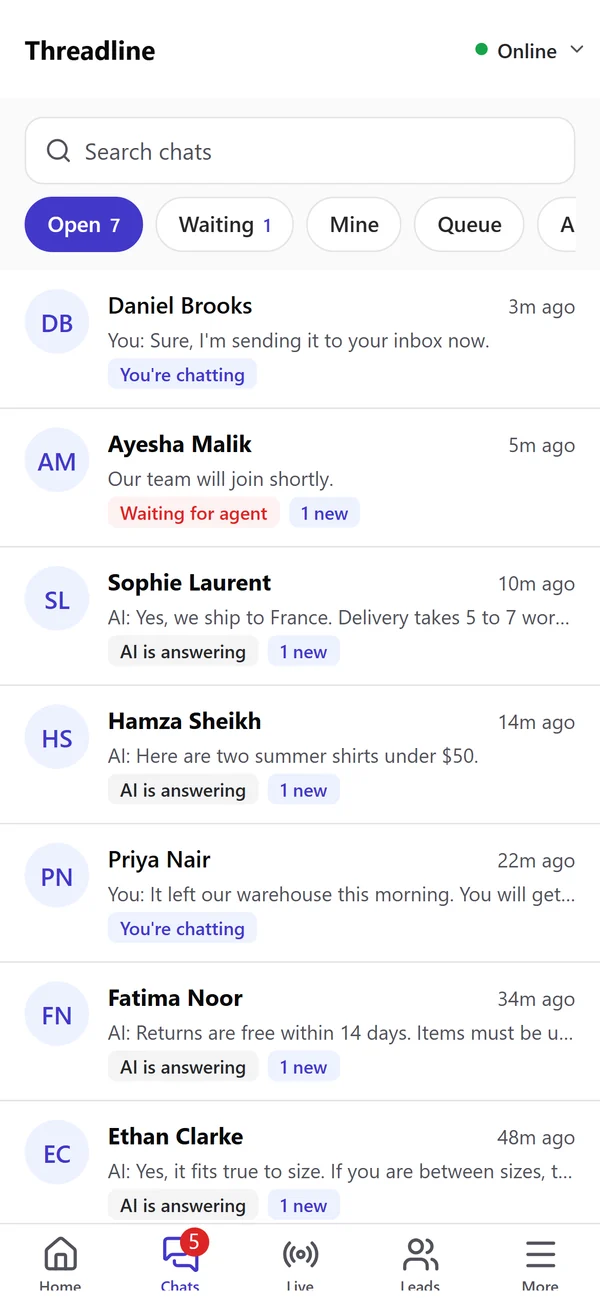
The whole dashboard, made for your phone.
The same chats, leads and team as on the website, live on both.
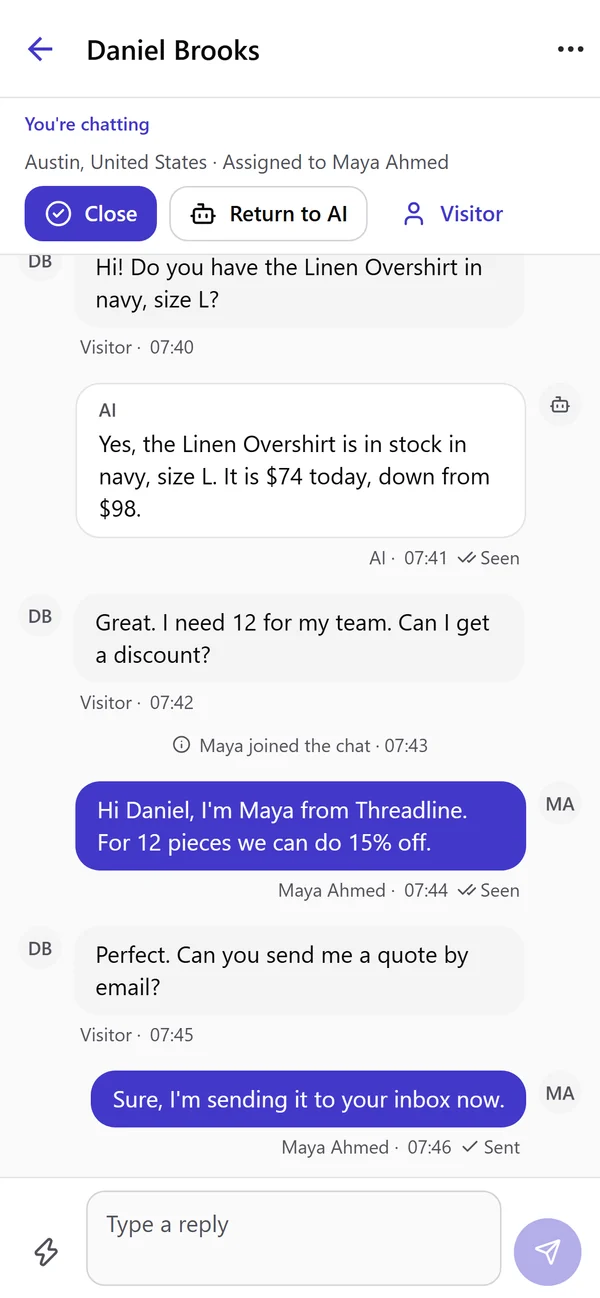
Reply to every chat from anywhere.
Read what the AI said, join the chat with one tap and hand it back to the AI when you are done. Your quick replies are one tap away.
- check_circleTake over from the AI, or return the chat to it
- check_circleClose and reopen chats
- check_circleSee the product cards the AI showed the shopper
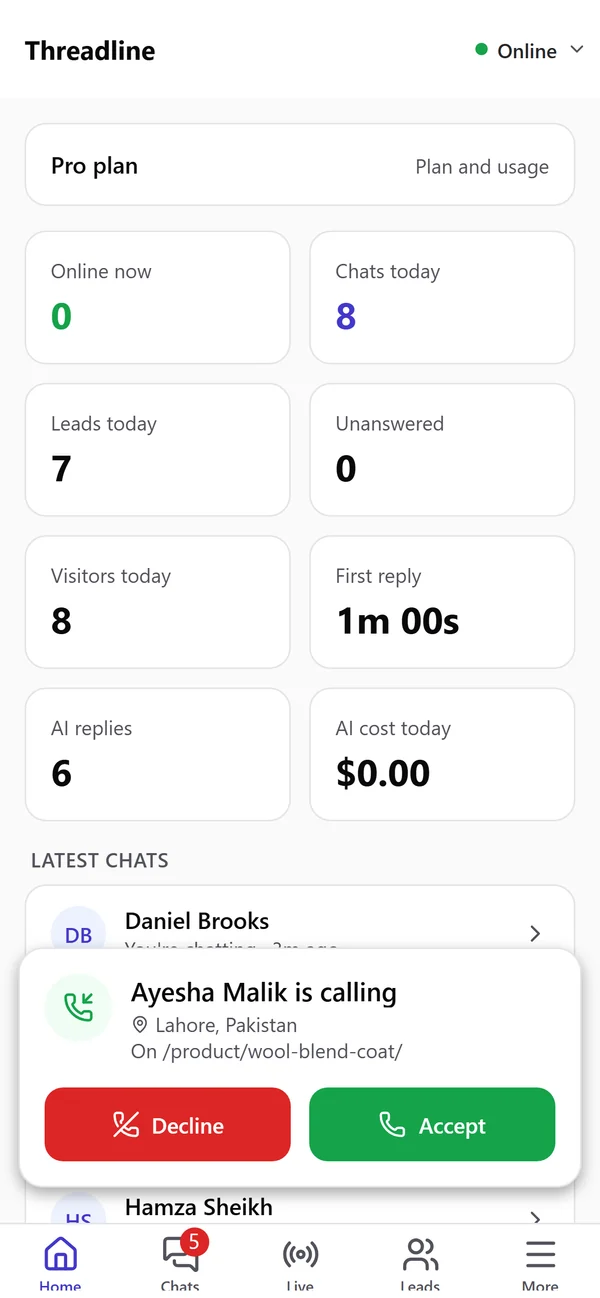
Visitors call, your phone rings.
When voice calls are on, a visitor can call you from the chat on your website. You see who is calling and from which page, then accept or decline.
- check_circleMute, speaker and hang up during the call
- check_circleThe first person to accept takes the call
- check_circleEvery call shows in the chat history
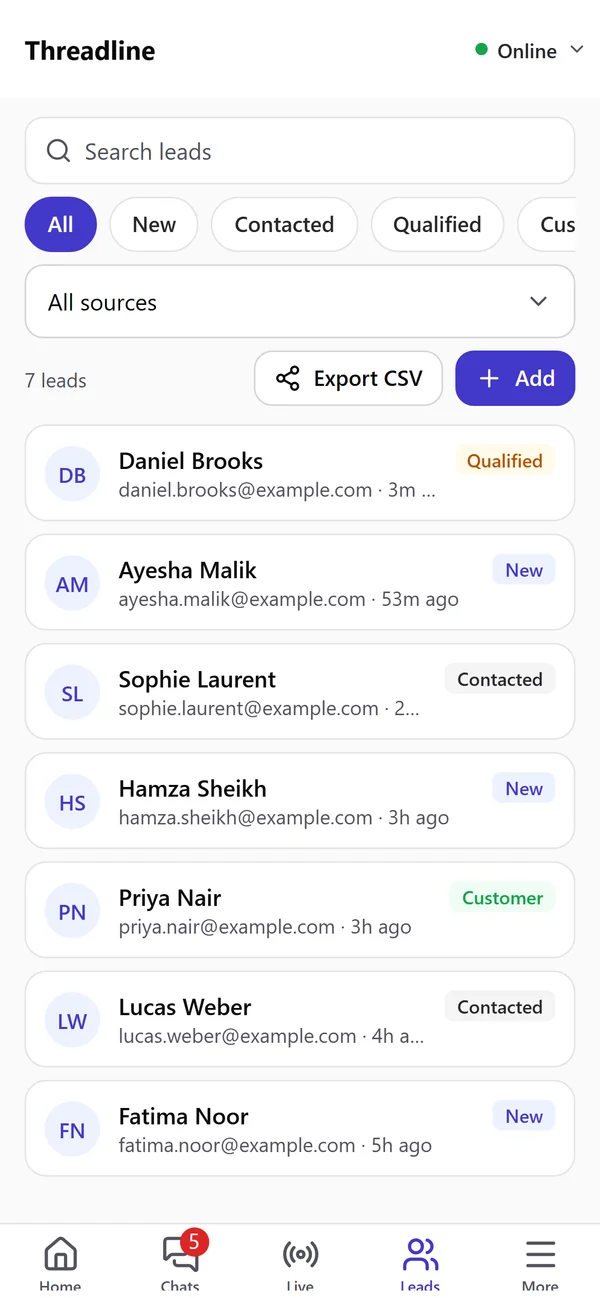
Every lead, right when it comes in.
Names, emails and phone numbers your chat collects land in Leads. Update the status, add a note or a lead of your own, and export a CSV.
- check_circleFilter by status and source
- check_circleOpen the chat a lead came from
- check_circleFollow-up emails at a glance
Notifications that pop up like WhatsApp.
New messages, a visitor who wants a person, new leads and calls reach your phone at once, also when the app is closed.
9:41
Tuesday

callWP Smart Bot · now
Incoming call
Ayesha Malik is calling from the website
support_agentWP Smart Bot · now
A visitor wants to talk to a human
Can I talk to someone about a custom order?
forumWP Smart Bot · now
New message
Perfect. Can you send me a quote by email?
contact_mailWP Smart Bot · now
New lead
Fatima Noor · fatima.noor@example.com
- touch_app
Tap to open the chat
A notification opens the right chat, on the right website.
- tune
You choose what to get
Switch each kind of notification on or off for your phone.
- group
Only what is yours
Each team member gets notifications for the chats they are allowed to see.
And everything else you use every day.
Live visitors
See who is on your website now and start a chat with them.
Notifications
New messages, a visitor asking for a person, new leads and calls, even when the app is closed.
Follow-ups
See which follow-up emails went out, which are waiting and which need a look.
Quick replies
Add and edit your saved answers on the go.
Knowledge base
Add a page or a document and check what the AI learns from.
Analytics
Chats, leads, response times and AI replies for the last 7, 30 or 90 days or 12 months.
Stay available on mobile
Turn it on and chats and calls can reach you while you are away from your desk.
Light and dark
The app follows your phone’s light or dark setting.
All your websites
Switch between the websites in your account from the top of the screen.
One account, everywhere.
The app and the website are the same WP Smart Bot. Whatever you do on one shows up on the other.
Sign up in the app or online
Create your free account in the app or on the website, then sign in on either one with the same email and password.
The same roles and permissions
Owners, admins and members see and do the same things in the app as on the website.
Billing stays on the website
The app shows your plan and usage. Payments and plan changes are only on the website.
Install it in three steps.
- STEP 1
Download
Open this page on your phone and tap Download for Android, or scan the QR code with your phone camera.
- STEP 2
Allow the install
Open the file. If Android asks, allow installs from your browser or file app, then tap Install.
- STEP 3
Sign in
Use your WP Smart Bot email and password, or tap Sign up to create a free account. Allow notifications when asked.
Android 7.0 or newer, about 50 MB. Free with every plan. iPhone app coming soon.
Mobile app questions.
Is the app free?
add
Yes. The app comes with every plan, including the Free plan. What you can use in it follows your plan, the same as on the website.
Is there an iPhone app?
add
Not yet. The iPhone app is coming soon. Until then you can use the dashboard in your phone’s browser.
Is it on Google Play?
add
Not yet. For now you download the app from this page. It will come to Google Play soon, and then you can update it from there.
Why does my phone warn me when I install it?
add
Android shows a warning for every app that does not come from Google Play. Allow the install once for your browser or file app, then install WP Smart Bot. The app only asks for the microphone (for calls) and notifications.
Can I use the same account as on the website?
add
Yes. Sign in with the same email and password. If you create your account in the app, you can sign in on the website with it too.
Can my team use it?
add
Yes. Every team member signs in with their own account and sees only what their role and permissions allow, the same as on the website.
Can I pay or change my plan in the app?
add
No. The app shows your plan and usage. Payments and plan changes stay on the website.
Notifications come late on my phone. What can I do?
add
Some phones stop apps in the background to save battery. In the app, open More, then Notifications, and follow "Get messages on time": set the battery to unrestricted and allow auto-start.
More help in the mobile app guide.
Never miss a chat again, even away from your desk.
Start for free- redeemFree plan, no time limit
- credit_card_offNo card needed